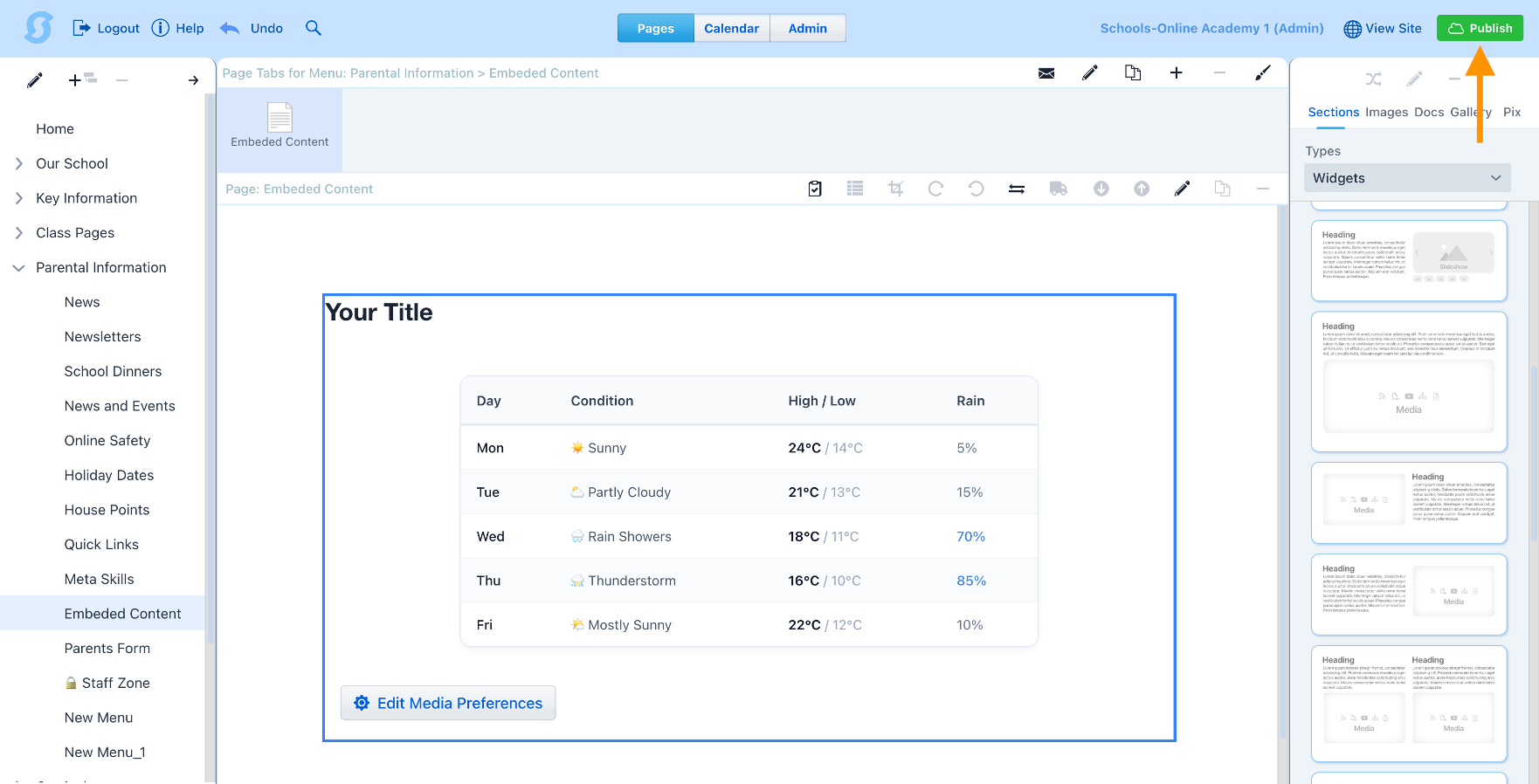
How to Embed code
To add Embed code to you pages please follow the steps below.
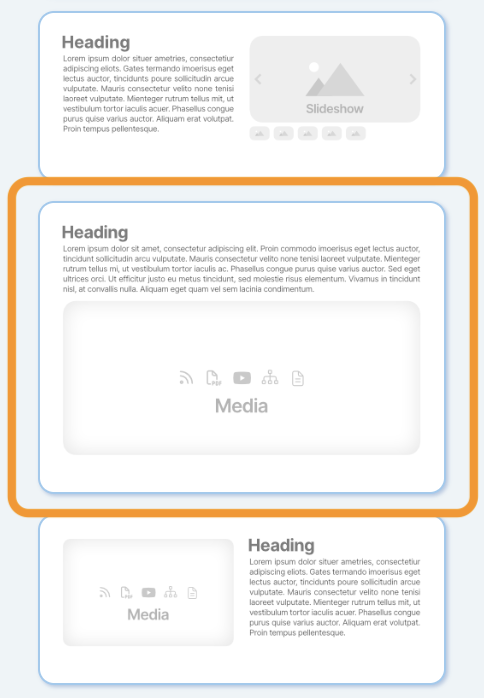
Recommended Section
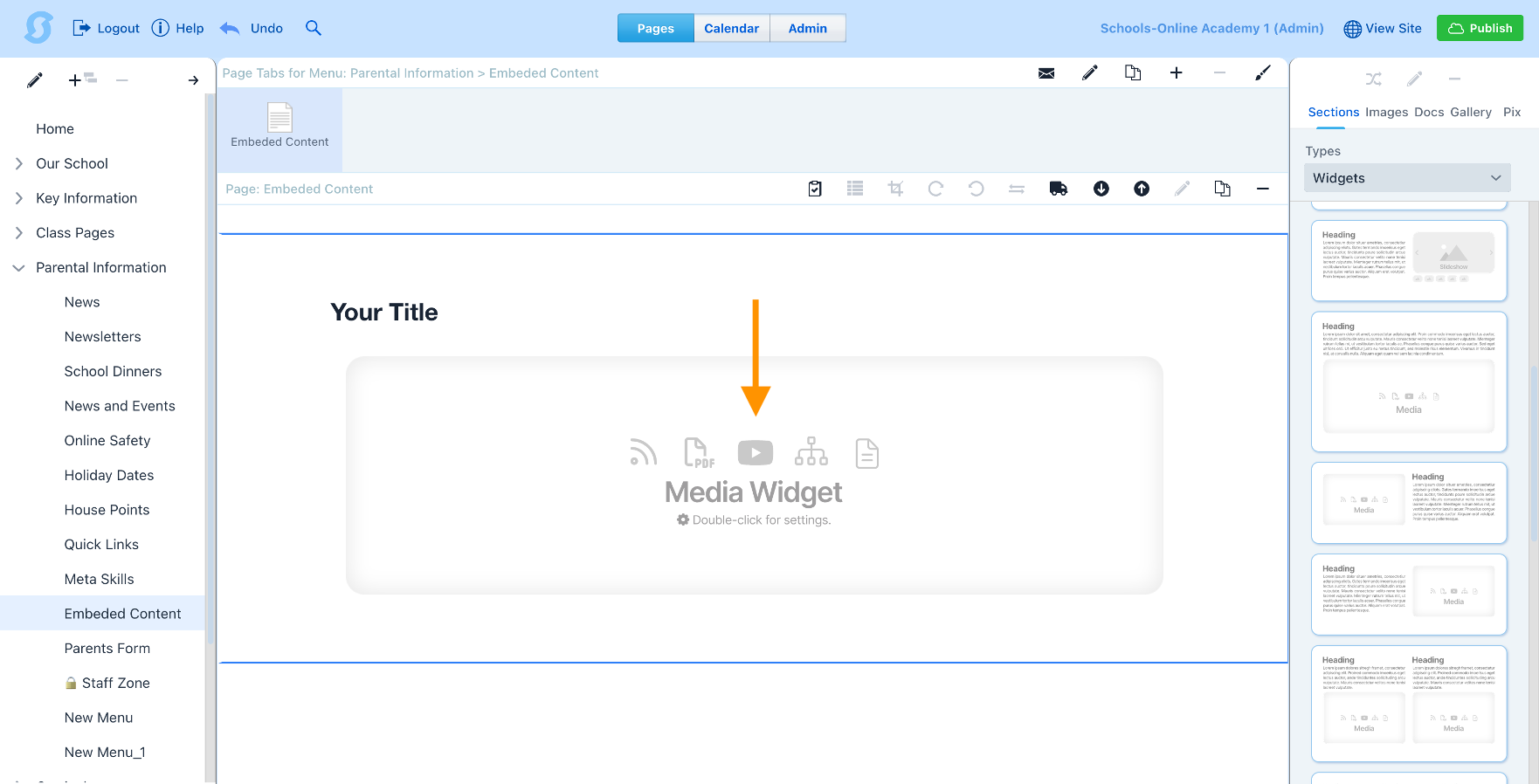
For this tutorial we recommend you use the large Media Widget section shown here.
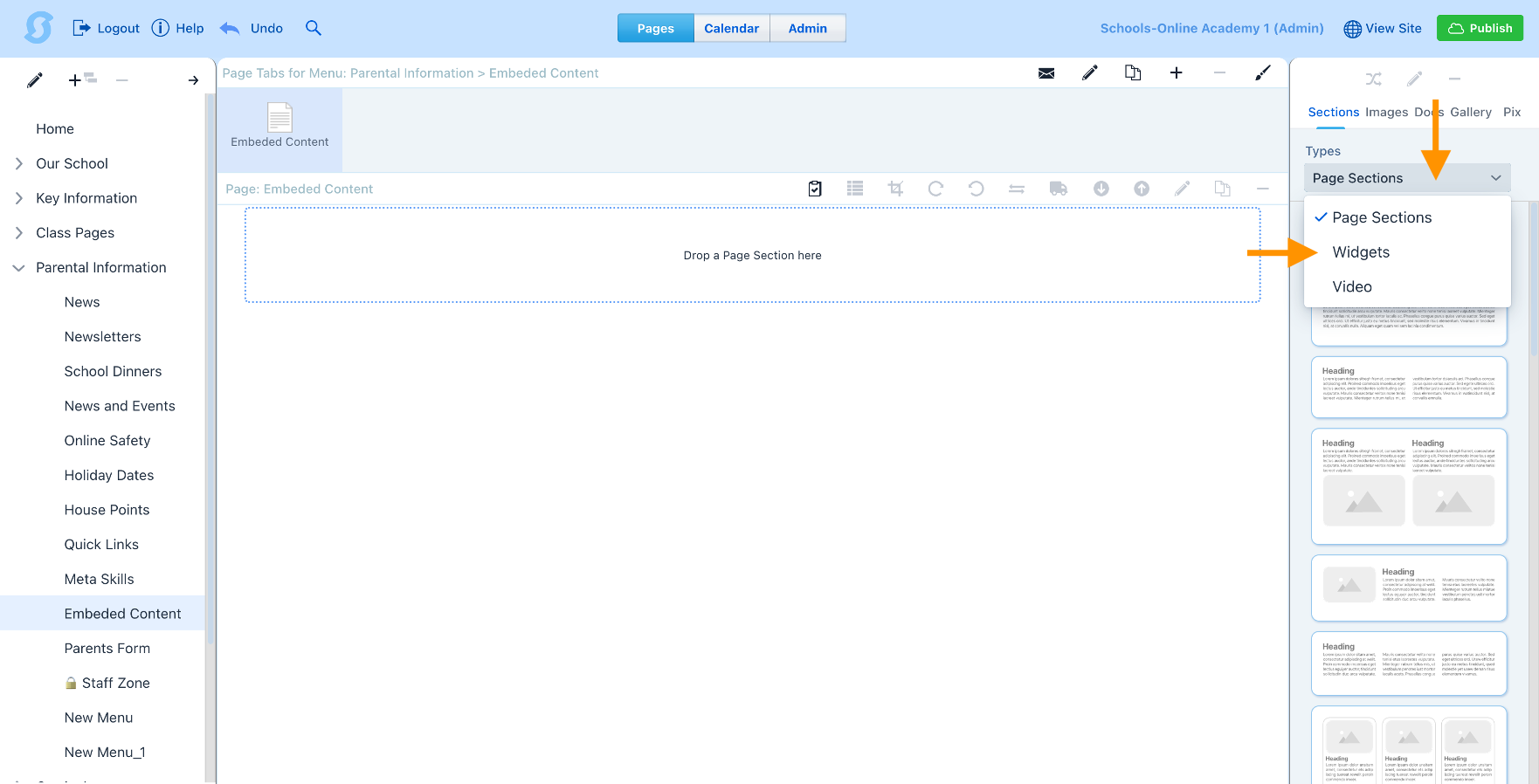
Step 1
Select Widgets from the Page Sections drop down menu.
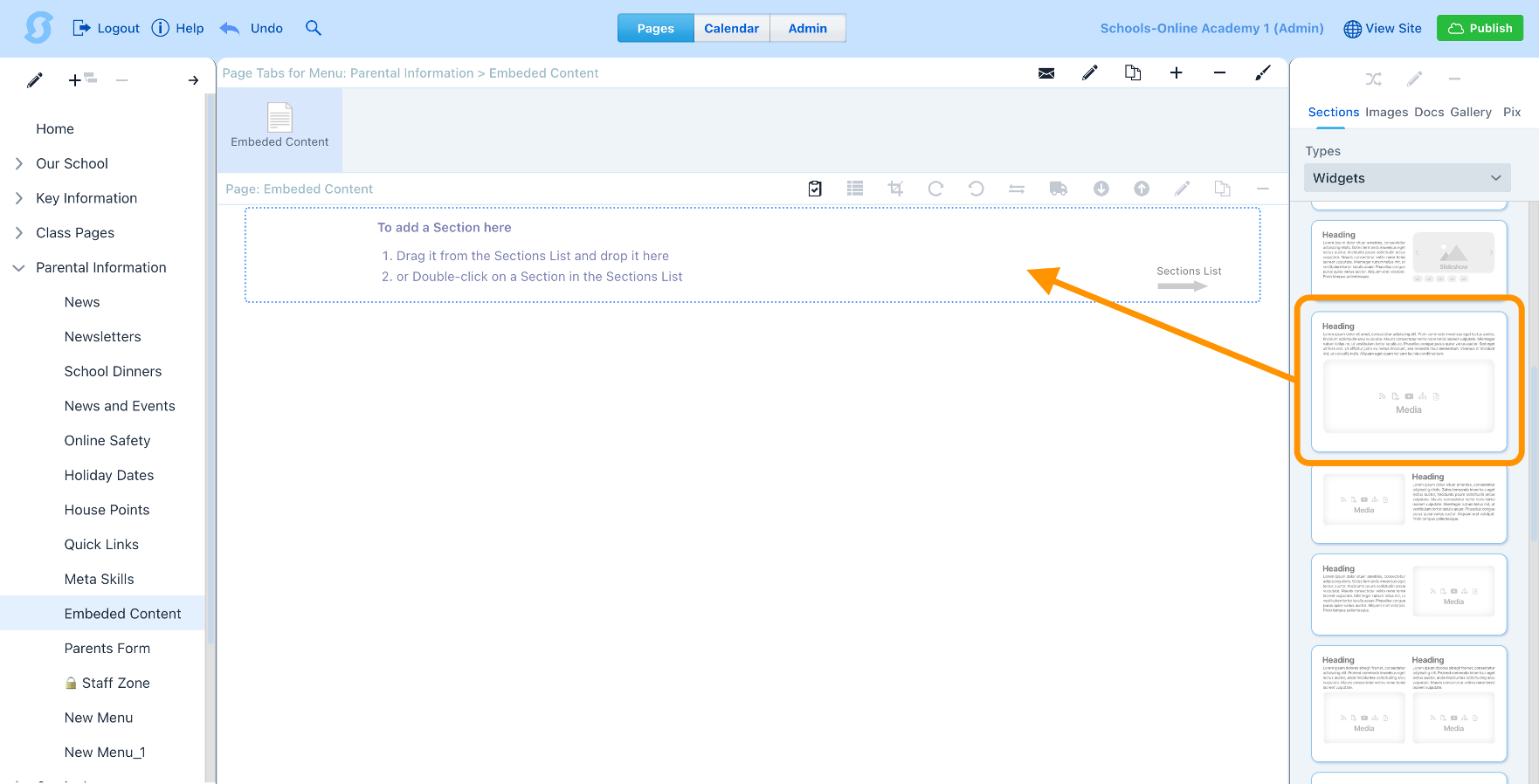
Step 2
Drag and drop the large Media Widget to your page.
Step 3
Double-click the widget to access the options.
Step 4
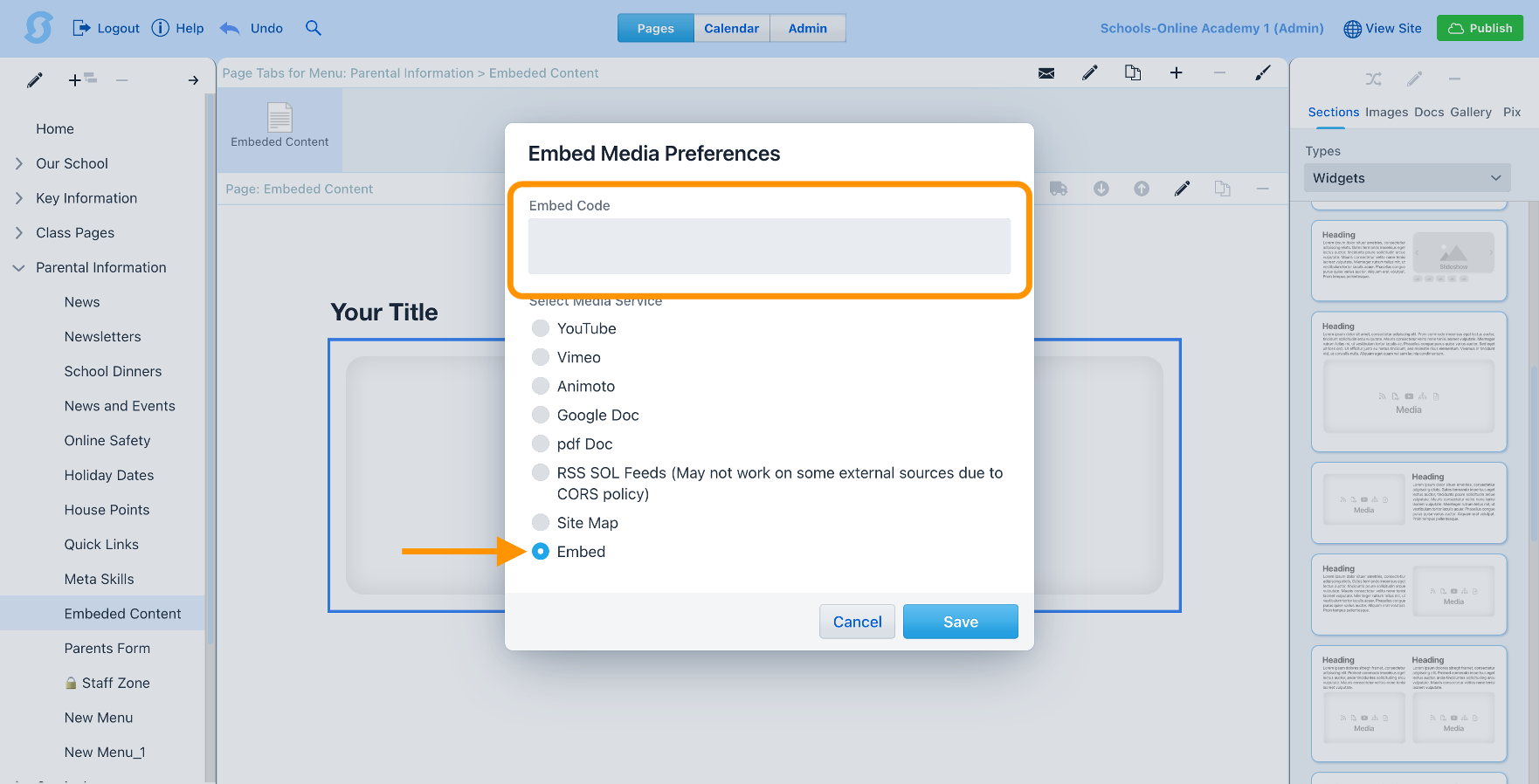
Select Embed from the list of options then paste the embed code into the Embed Code field.
Step 5
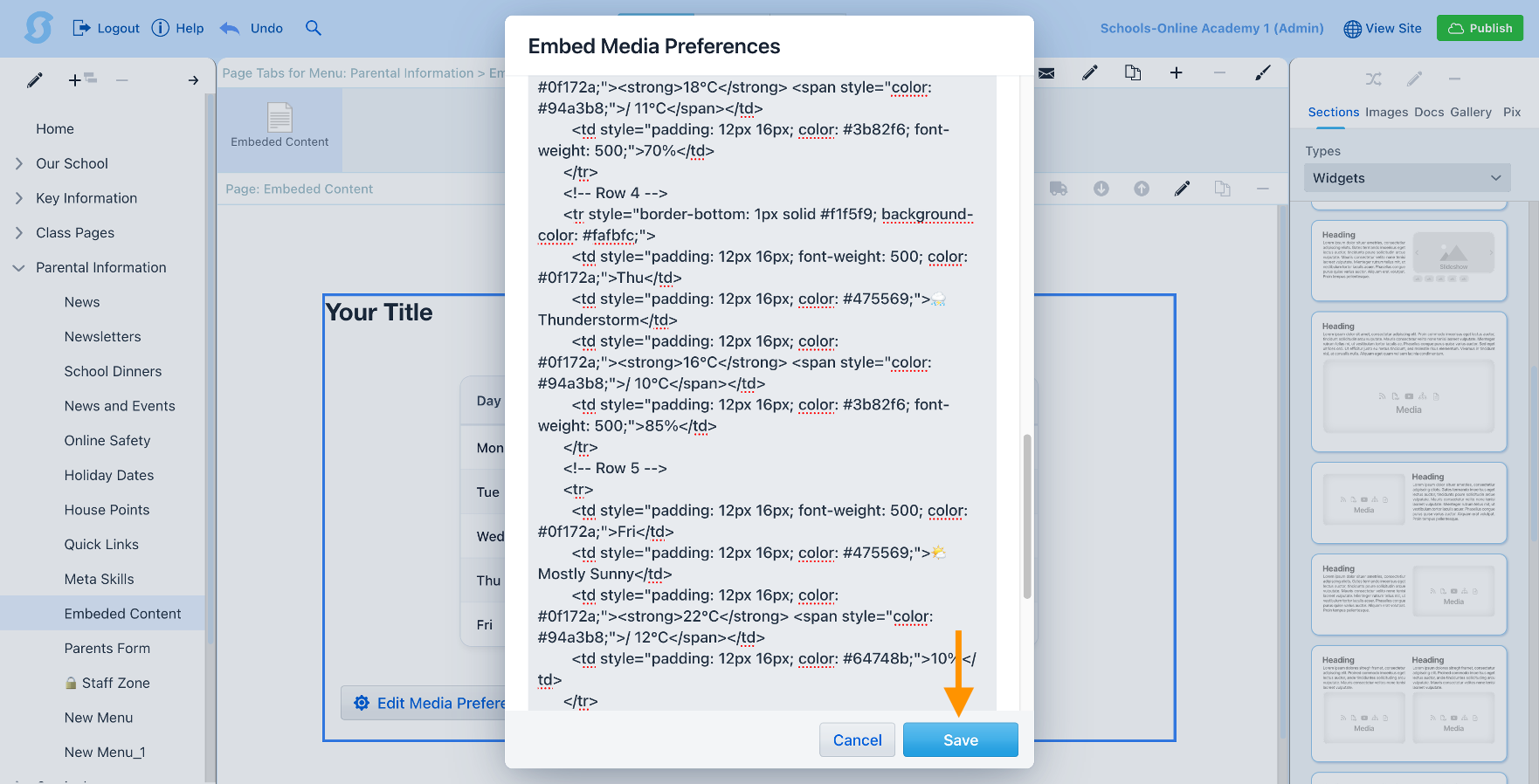
Click Save.
Step 6
Click Publish.