How to Remove a Popup
To remove a Popup from your website please follow the steps below.
Step 1
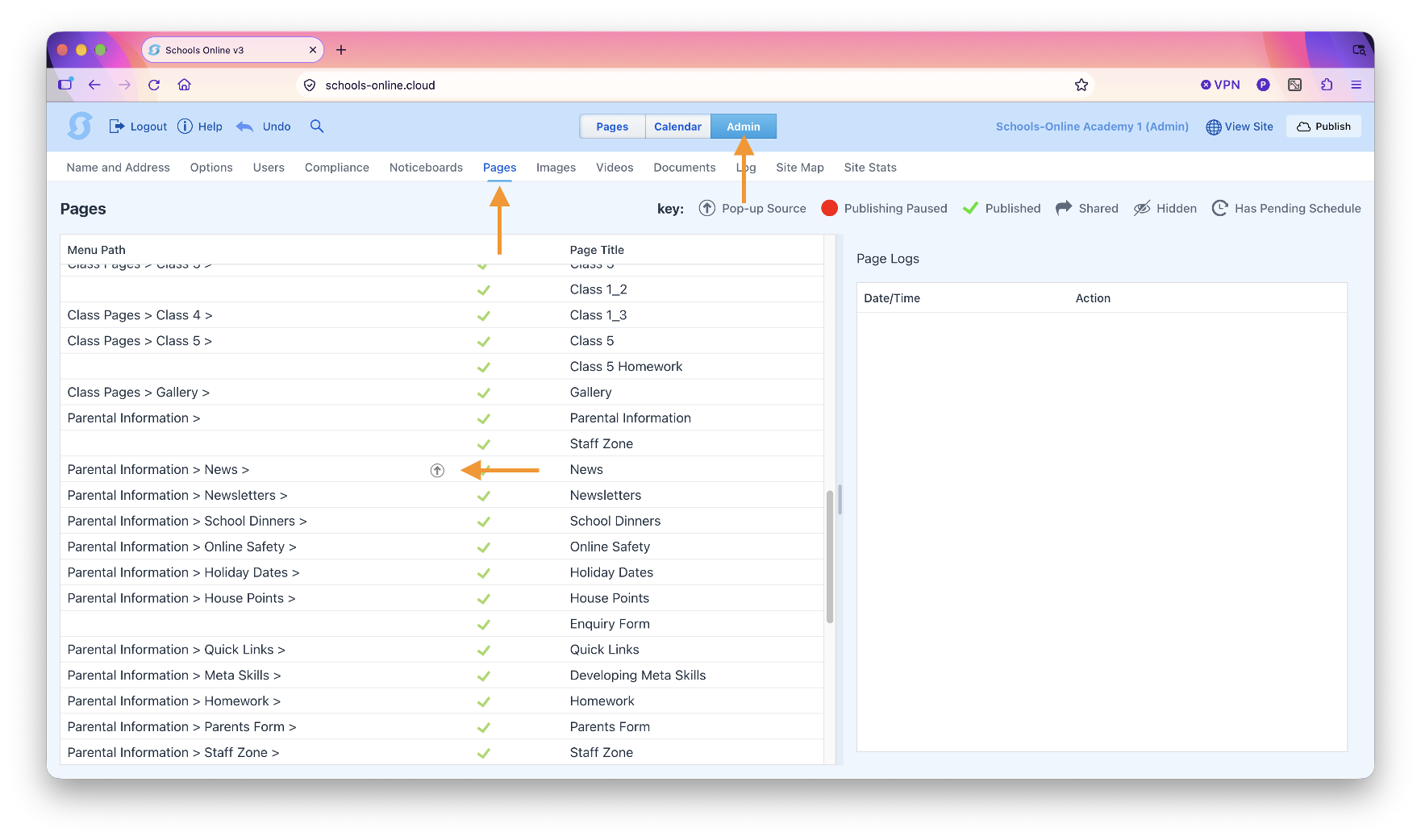
If you are unsure where on your site the pop-up is located click the Admin button at the top of the editor screen.
Now click the Pages tab.
Scroll down the list of pages until you see the grey arrow. This shows the source page of the pop-up.
Step 2
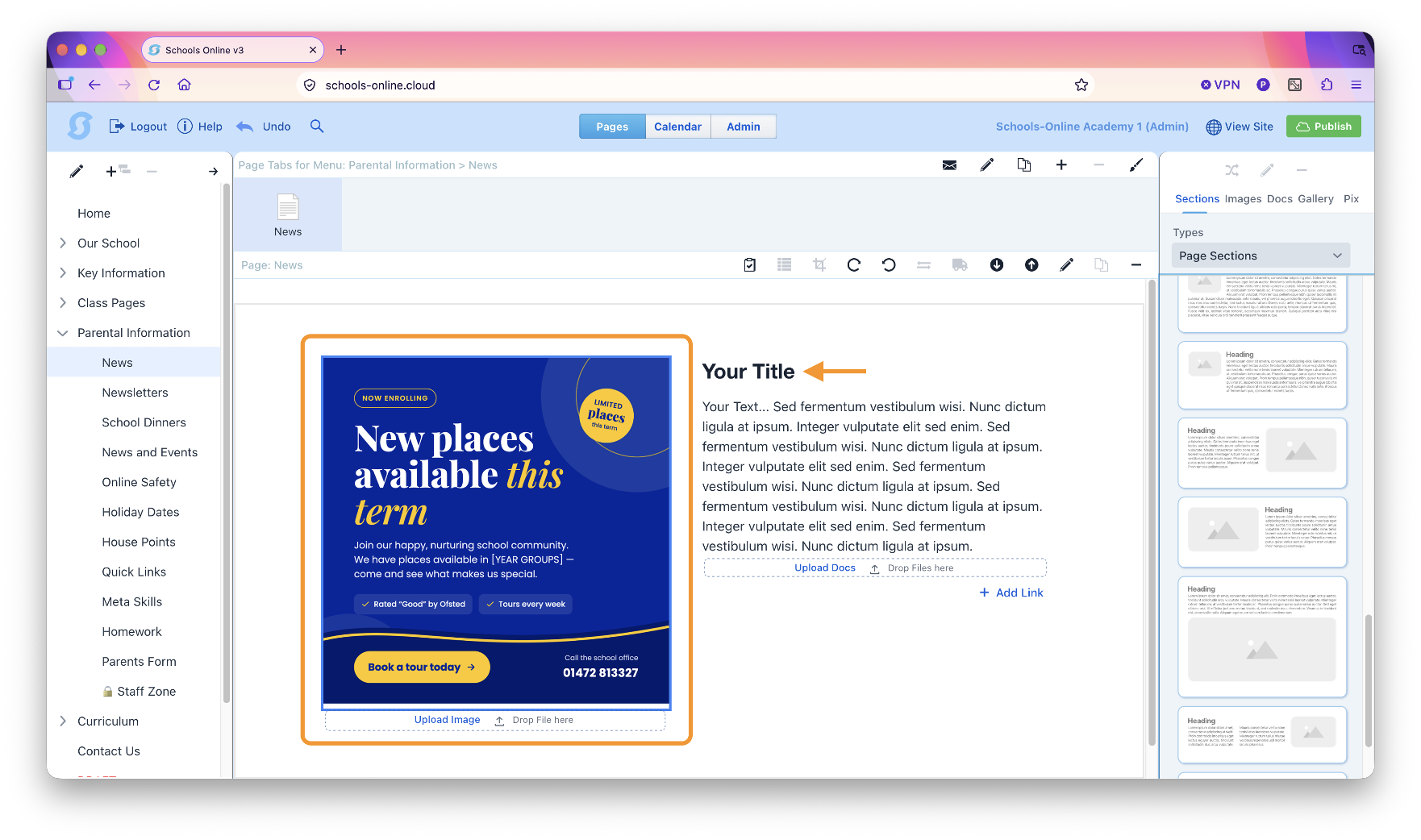
When you have located the pop-up section double-click on the Title to open the text editor.
Step 3
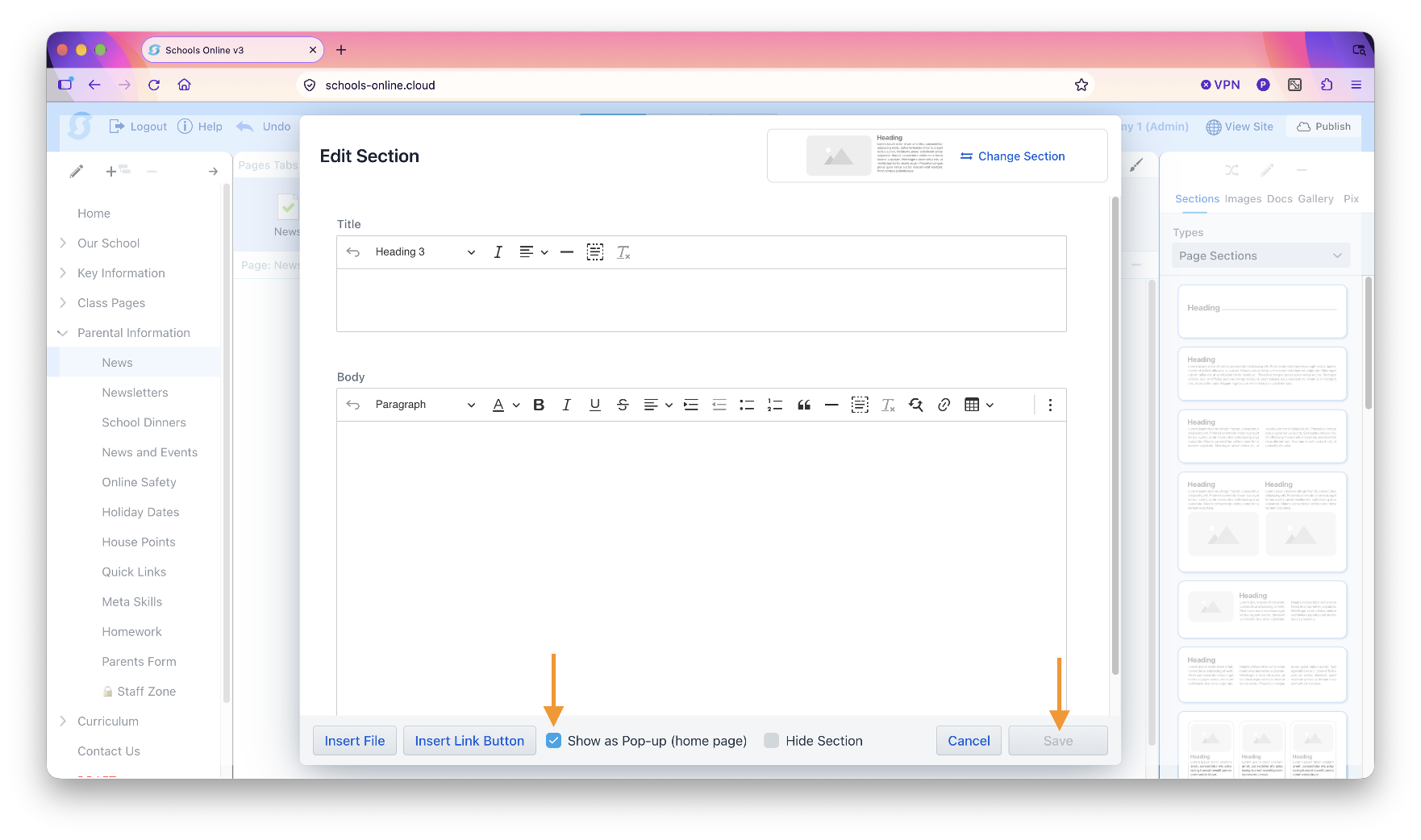
To disable the pop-up uncheck the Show as Pop-up (home page) check box. This will remove the pop-up from your website.
Click Save.
Step 4
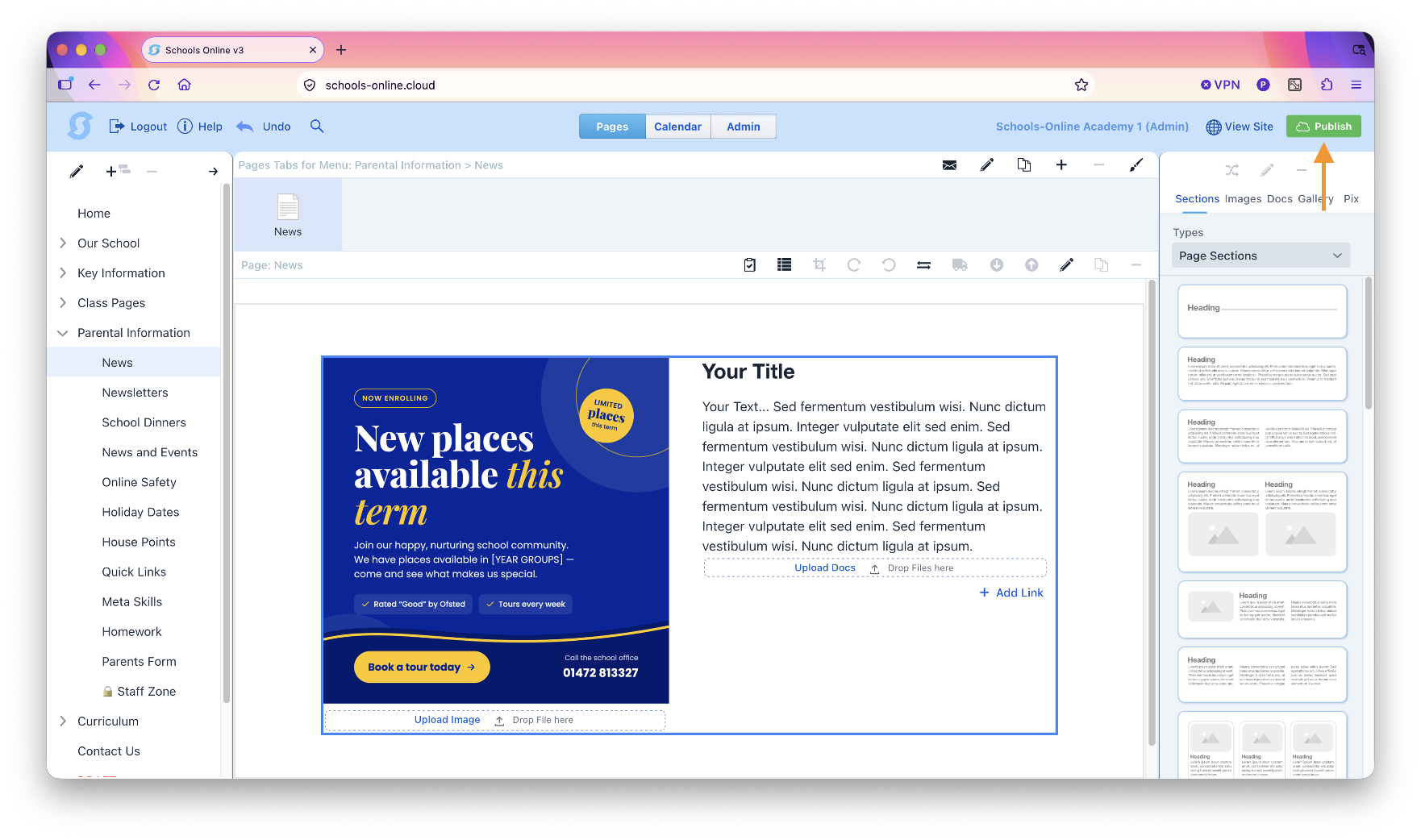
To finish simply click Publish.